The Workday Adaptive Planning 2025 R1 release enhances collaboration and reporting with Shared Scenarios, allowing team-wide access to “what-if” models. Key updates include integrating Matrix Reports directly onto Dashboards, improved data validation with up to 15 rules, and a mandatory UI refresh for improved consistency.
What’s new in the 2025 R1 release:
Add Reports on Dashboards
Say goodbye to clunky crosstabs and scorecards, you can now add Web Reports directly to your Dashboards!
Not only does this help us present key information to our audience, but we can also leverage conditional formatting to highlight areas for attention.
End-users can drill through the reports and even enter their commentary using Line Notes.
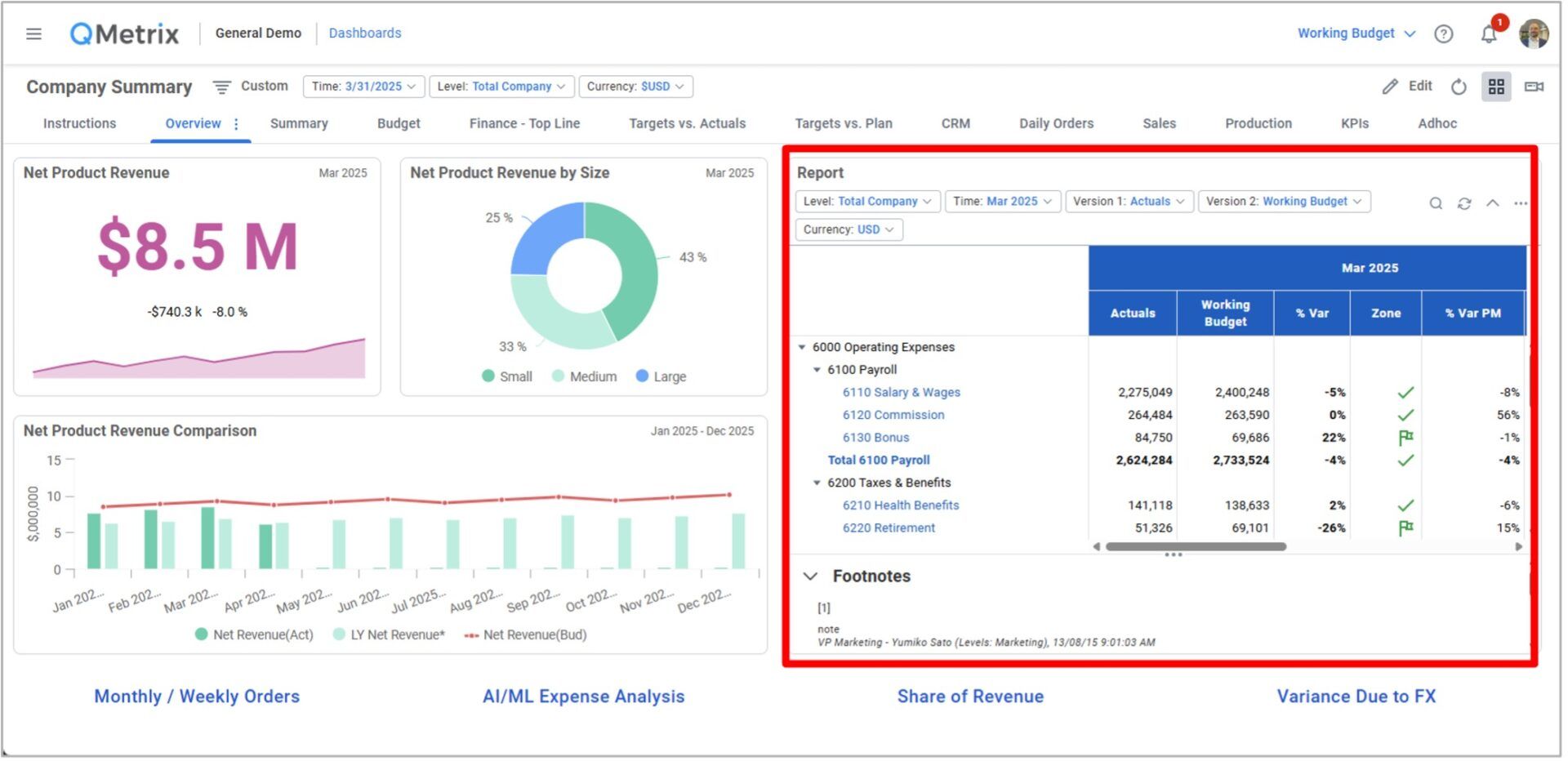
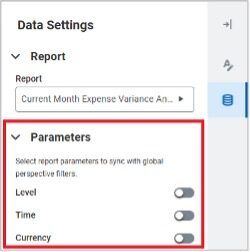
Do you want to make the report dynamic and aligned to your dashboard/perspective filters? Ensure you update the following parameter settings after adding the Web Report to your Dashboard.
Shared Scenarios
Have you been using the Personal Scenarios feature released back in March 2024?
This feature was great for performing your own ad hoc ‘What-If’ analysis. However, you may have hit a roadblock when attempting to share your insights with another Adaptive Planning user.
Key features and benefits
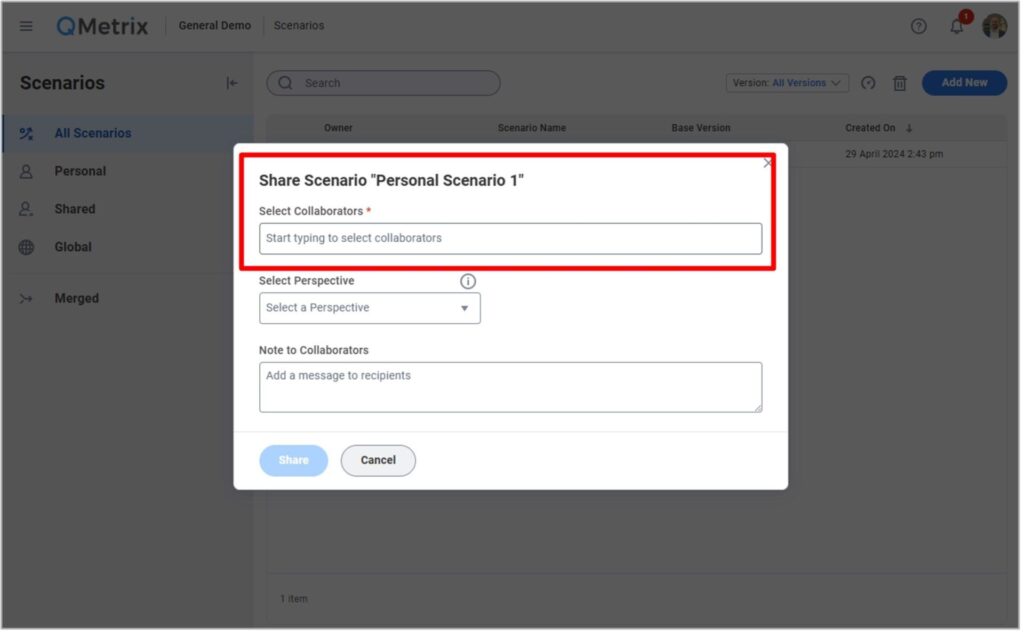
The good news is that path has now been cleared, as this release brings with it the ability to assign Collaborators to your Scenarios.
You can now work together on Scenarios and easily share their outcomes by leveraging your reports and dashboards.
- To add a collaborator to your Scenario, navigate to the Scenarios section of Adaptive and follow the prompts.
Reports bursting through scheduled attachments
Do you have stubborn end users who just can’t seem to log in to Adaptive Planning to review their numbers?
The previous 2024 R2 release included a new feature which allowed users to schedule and automatically issue a report (as an Excel attachment) via email.
The 2025R1 release has significantly enhanced this feature.
Key features and benefits
Now, these attachments factor in level ownership and access rules to restrict what data is available on the report that is being distributed.
So previously, if you were trying to schedule a P&L report and distribute it to ten different cost centre owners, you would have needed to create ten copies of that report (and each report would need have its own schedule).
Not any more – you can now leverage one ‘master’ P&L report, add up to 250 users to the schedule and let Adaptive Planning do the rest!
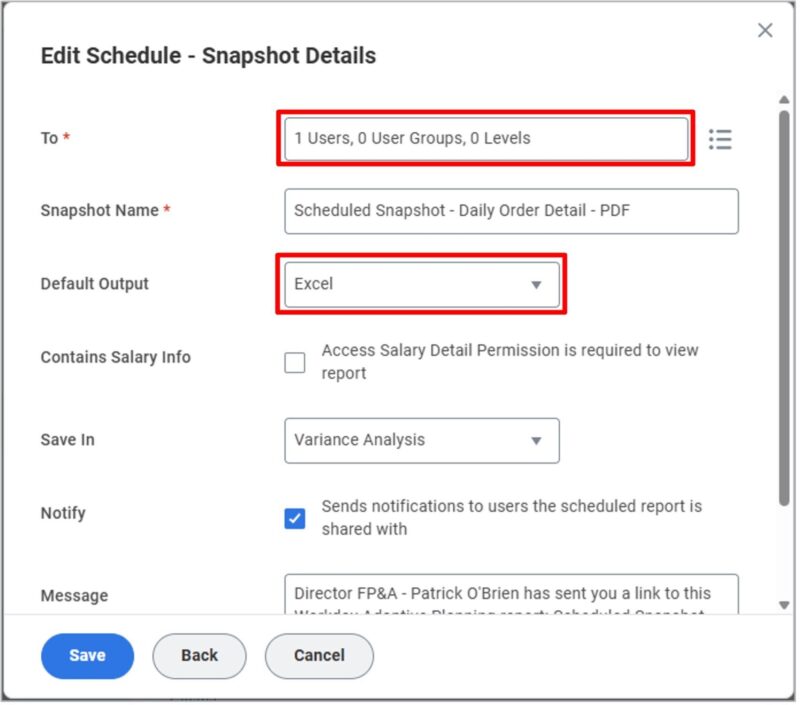
Whether they’re a stubborn user, or you just want to make their life a little easier – consider scheduling a report attachment.
New to scheduling reports? Refer to our previous release notes (2024R2) for guidance on getting started.
Perspective folders in Dashboards
Has your Dashboards list gotten out of control? Do you wish you could organise them a little better?
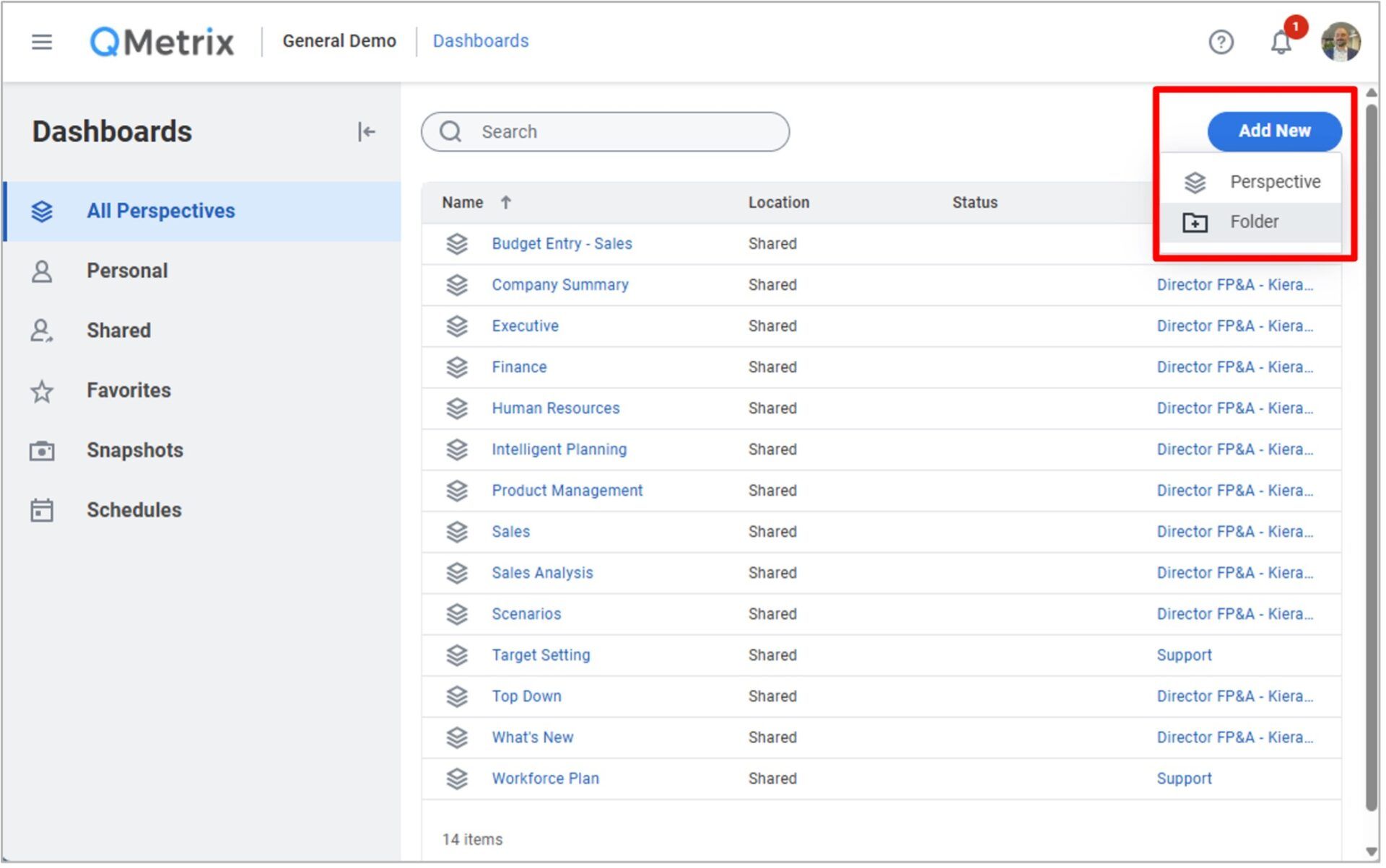
Well now you can try adding a new folder!
Key features and benefits
On the surface this new feature might not seem like much, but if you like keeping your instance neat and tidy – the introduction of dashboard folders will see to that!
Connect with us and stay up to date with Workday Adaptive Planning news and releases: